How Much Space Does Windows 10 Take? HDD and SSD Guide
How much space does windows 10 take on a hard drive or SSD? See Microsoft's minimum requirements, how much room updates need, and how big your system drive should be.
In this guide
How much space does Windows 10 take on your drive? It's a question we get a lot, usually from people buying a new SSD or wondering why their C: drive keeps filling up. Below we cover how much room Windows 10 needs on a hard disk or SSD, how much extra the updates eat, and how big your system drive should really be.
How Much Space Does Windows 10 Take on a Hard Disk or SSD?
Windows 10 minimum requirements
These are the minimum requirements Microsoft lists for a Windows 10 PC:
- CPU: 1 GHz or faster processor
- Memory: 1 GB (32-bit) or 2 GB (64-bit)
- Hard disk space: 16 GB (32-bit) or 20 GB (64-bit)
- GPU: DirectX 9 or later with a WDDM 1.0 driver
- Display: 800 × 600
So the official minimum disk space is 16 GB for 32-bit and 20 GB for 64-bit. Microsoft's recommended figure is 20 GB or more for 32-bit and 40 GB or more for 64-bit, and in practice you'll want a good deal more than that.
How much space do Windows 10 updates take?
Windows 10 keeps downloading updates after you install it, and the space they need depends on the type. Small patches and cumulative updates are usually a few hundred megabytes. Big feature updates are a different story.
Take the April 2018 Update (codenamed "Redstone 4") as an example. The download was roughly 3 GB depending on your device and settings, and it unpacked into a 7–8 GB setup. To install it comfortably you needed around 10 GB of free space.
How big should your system drive be?
How much room you should set aside depends on what you use the PC for. These are sensible sizes for the system disk:
- Basic PC or media box: 30 GB
- Office work (Office, OpenOffice, WPS): 50 GB
- Office work plus photo or video editing (Office + Photoshop + After Effects): 80–100 GB
Many people now use an SSD as the system drive because it's much faster than a traditional hard disk. If you want quicker start-up and snappier apps, moving Windows to an SSD is one of the best upgrades you can make.
Should You Move Windows 10 to an SSD?
Now that you know how the space on a system disk gets used, it's worth thinking about speed as well. A good system drive needs enough free space, but it also needs fast read and write speeds, and that's where an SSD shines. That's why we recommend an SSD for the system disk.
How much space does Windows 10 take on an SSD?
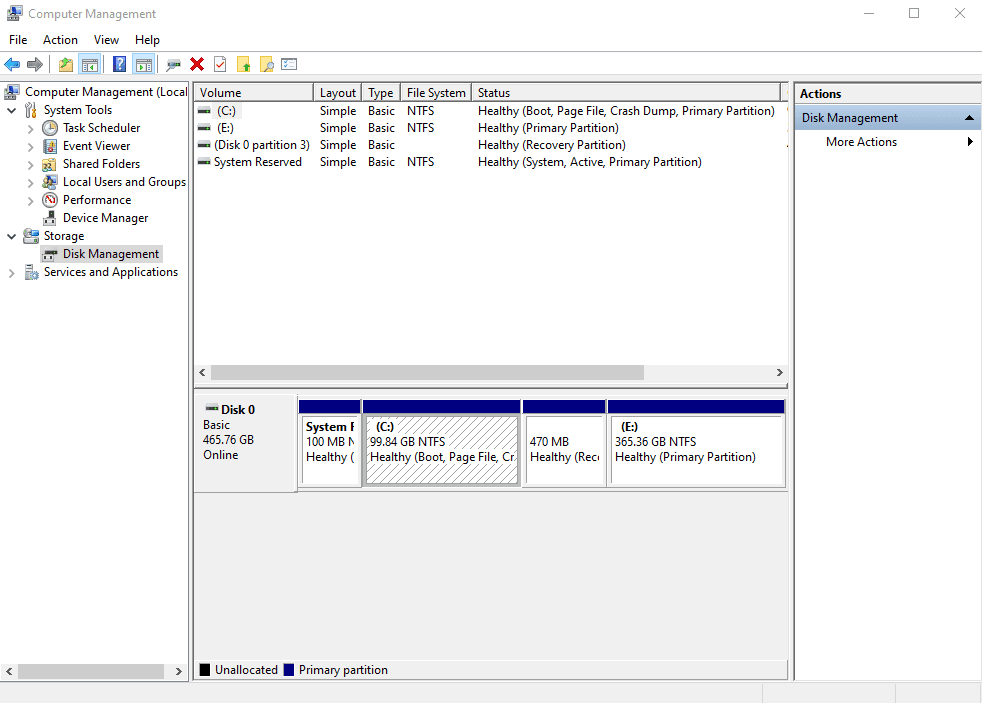
Check the size of your drive first so you know whether Windows 10 will fit with room to spare. Keep in mind there are two numbers to think about: the size of the Windows 10 ISO you download, and the space Windows takes once it's installed and updated.
Upgrading Windows used to be a nerve-racking job, with the risk of a crash halfway through that could leave the drive in a mess. Windows 10 turned out to be one of the smoothest upgrades Microsoft has shipped, but it still pays to check a few things before you jump.
Should I upgrade to Windows 10 from Windows 7 or XP?
For most people, yes. Windows 10 (and windows 11) keeps most of what people liked about Windows 7 and adds the better parts of Windows 8. When it launched, the upgrade was free for Windows 7 and Windows 8 users for the first year; after that, Microsoft priced it at $119.99 for Home and $199.99 for Pro.
Hardware requirements for Windows 10:
- Processor: 1 gigahertz (GHz) or faster processor or SoC
- RAM: 1 gigabyte (GB) for 32-bit or 2 GB for 64-bit
- Graphics card: DirectX 9 or later with WDDM 1.0 driver
How big is Windows 10 after installation?
There's a lot of guesswork online about this. After a clean install, Windows 10 takes up about 16 GB for the 32-bit version and about 20 GB for 64-bit. That grows as updates are downloaded and installed.
Realistically, a fresh install lands somewhere between 16 GB and 24 GB. Most PCs and laptops today run the 64-bit version, and typical drives are 500 GB to 1 TB, so fitting Windows 10 isn't a problem. If someone asks how much space Windows 10 takes on an SSD, around 20 GB is the honest short answer, plus room for updates.
What changed in the 2017 and 2018 updates?
Windows 10 feels like a more polished Windows 8.1 with some real improvements. Cortana, the voice assistant, finally arrived on desktops and laptops. If you've used Google Assistant or Siri you'll know how it works, and we found Cortana handy for voice commands.
Microsoft Edge was another welcome addition. It's faster and more reliable than Internet Explorer and has plenty of useful features, so if Google Chrome's appetite for memory annoys you, Edge is worth a try. And if you own an Xbox, you can stream games from the console straight to your PC.
Final thoughts on how much space Windows 10 takes
Plan for about 20 GB for Windows 10 itself, then leave generous headroom. Regular updates and new features will gradually take more space, though not double. A 120 GB SSD is the practical minimum for a system drive, and 250 GB or more is comfortable.
References: reneelab.com, crazytechtricks.com